Set up accounts and recurring items
Add the balances you reconcile and save paychecks, bills, subscriptions, plans, and card payments by type and account.
Your month, from plan to backup
Move from your plan to real transactions and reports without losing track of what each total means.
Six stages
Add the balances you reconcile and save paychecks, bills, subscriptions, plans, and card payments by type and account.
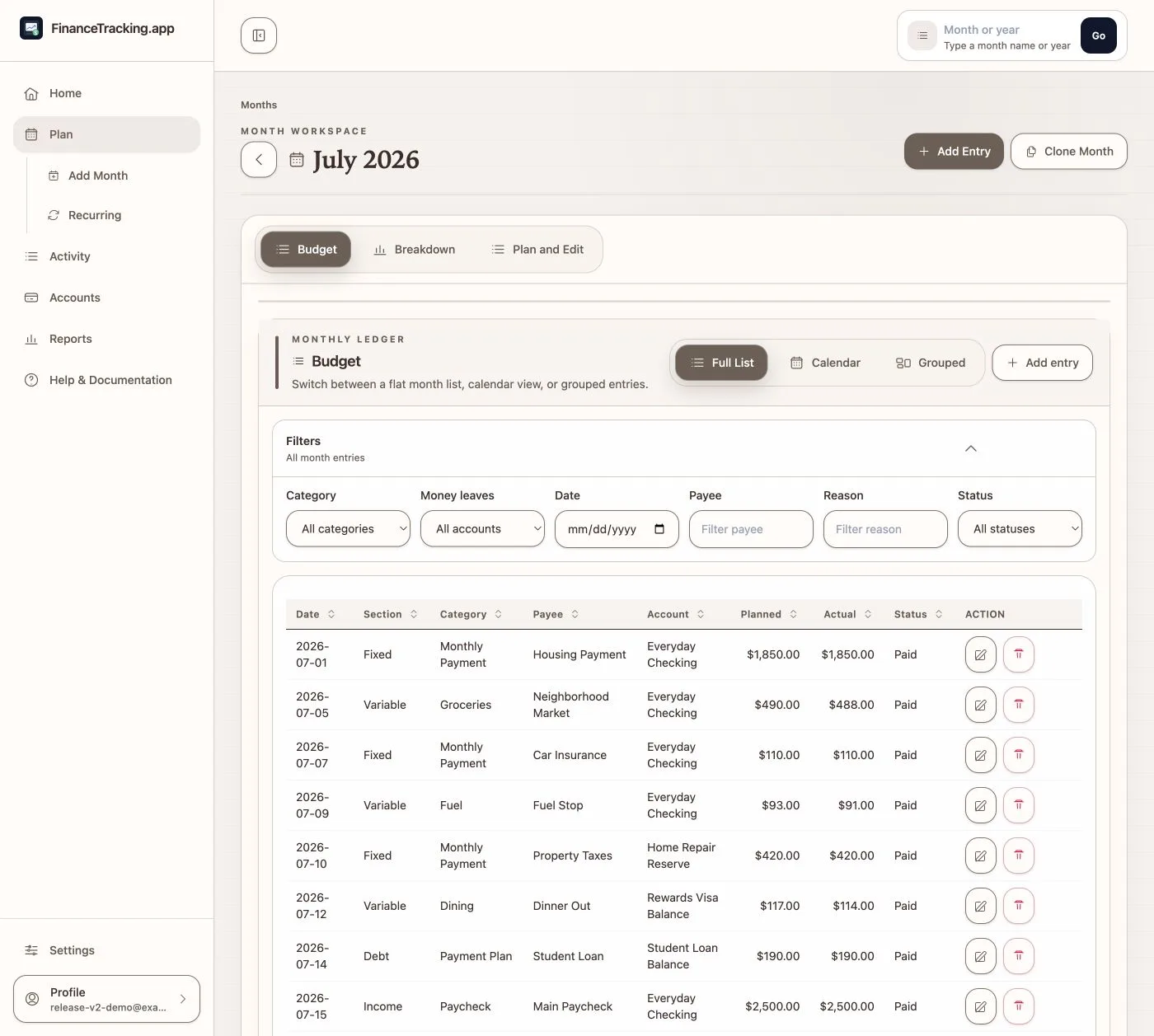
Create or clone the month, generate the recurring backbone, and add the one-off plan items that apply.
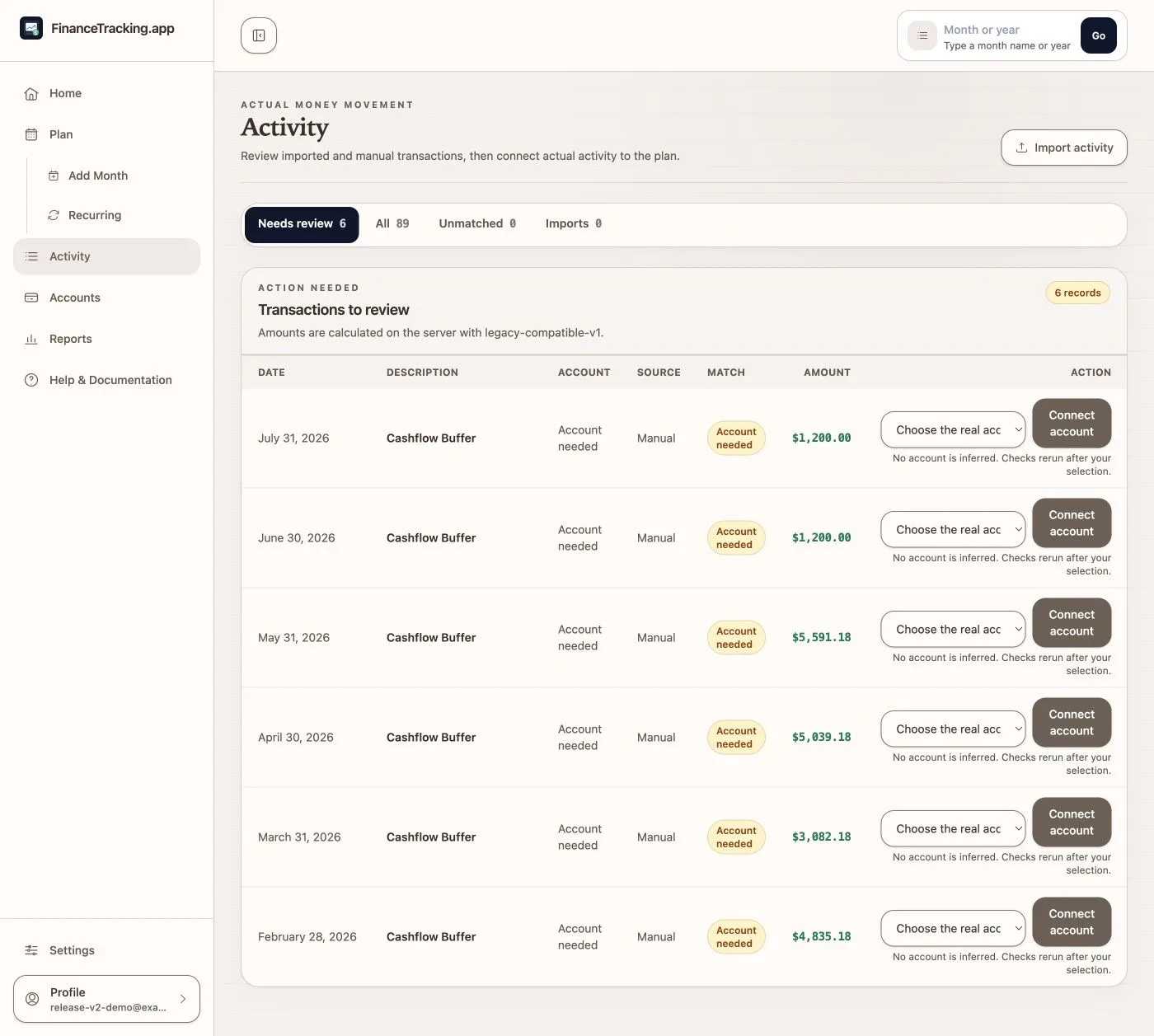
Record transactions manually, preview a statement import, or review posted SimpleFIN activity. After you confirm an account activity import, it can finish in the background before you match activity to the plan or mark it reviewed as unplanned.
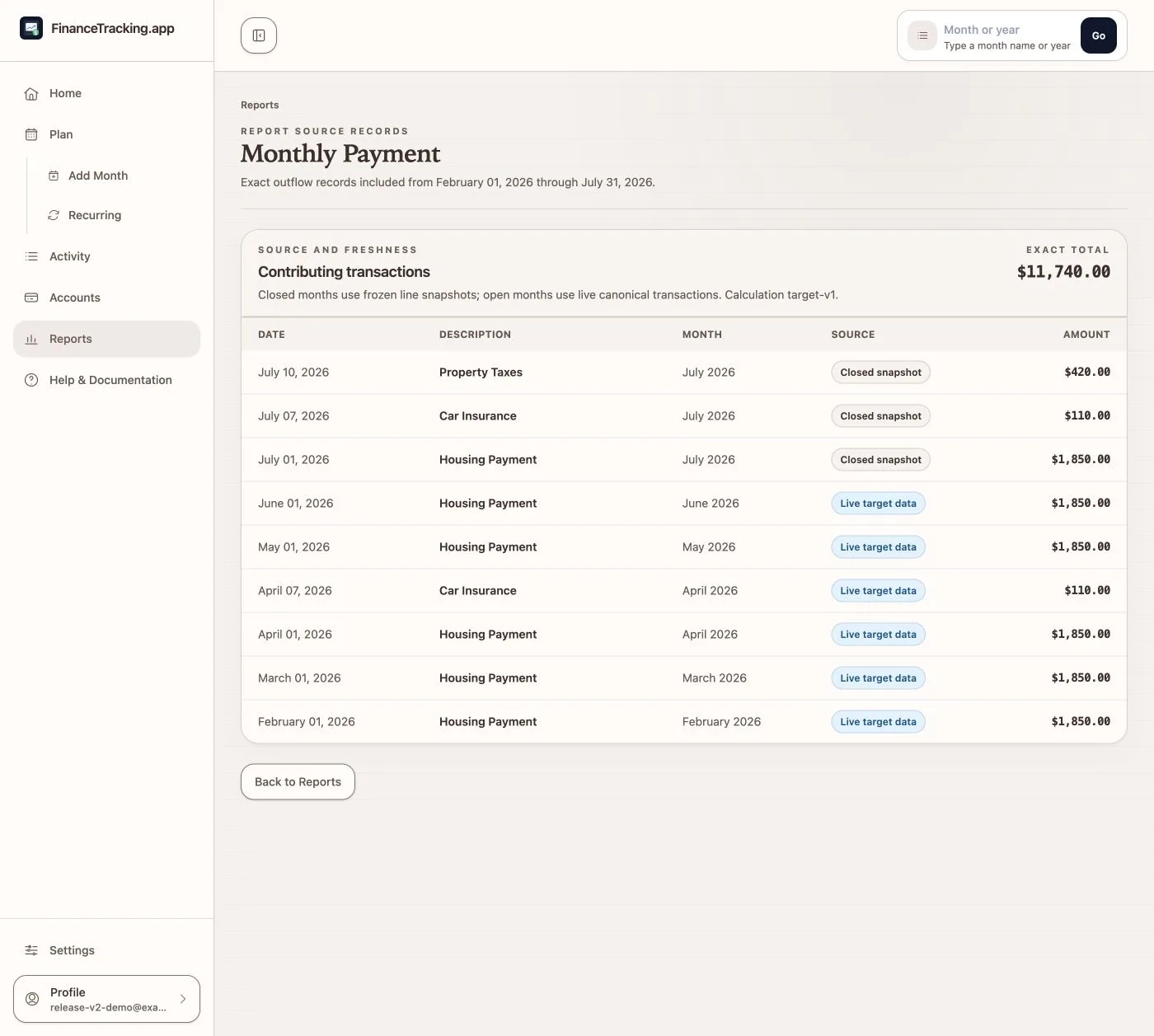
Compare what you planned with what happened, check the balances you trust, and open the transactions behind any chart.
Review the totals and transactions you are about to lock in, then close the month when everything looks right.
Start a protected Backup v2 export, preview what a restore would change, and let confirmed work continue in the background while its progress is saved.
Choose the right view
What each view answers
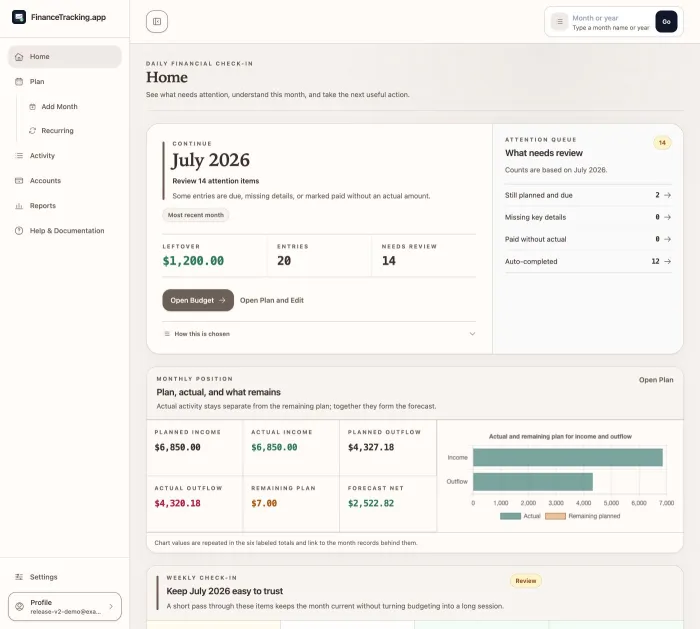
What needs my attention today, and where should I go next?
Which month should I open, clone, or create, and how do planned and actual totals compare?
Which real transactions are matched, unmatched, imported, manual, or waiting for an explicit correction?
Do these balances match my statements, what changed, and what will planned spending leave?
How did the month compare with my plan, and which transactions make up this total?
Is every important transaction accounted for, and am I ready to lock this month?
What will this backup save, what would a restore change, and how could I undo a mistake?
It covers planning, transaction matching, balance checks, reports with exact values, closing the month, and backups.