Connect with SimpleFIN
Connect accounts, review balances and bank activity, build a month, and recover safely while keeping manual tracking available.
Prepare the connection
SimpleFIN is optional and requires your own subscription. Bank sign-in and billing happen at SimpleFIN. The app receives read-only balances and transactions; it cannot send payments. Institution coverage and historical availability vary.
New signups are prepared for the supported ledger automatically. Existing installations retain their audited workspace upgrade gates. If the app shows an upgrade notice, follow the operator upgrade guide before accepting bank balances or activity.
Confirm the web and background worker services are running. Set your timezone in Settings → Workspace; it applies to manual and connected activity.
Connect with an app-specific Setup Token
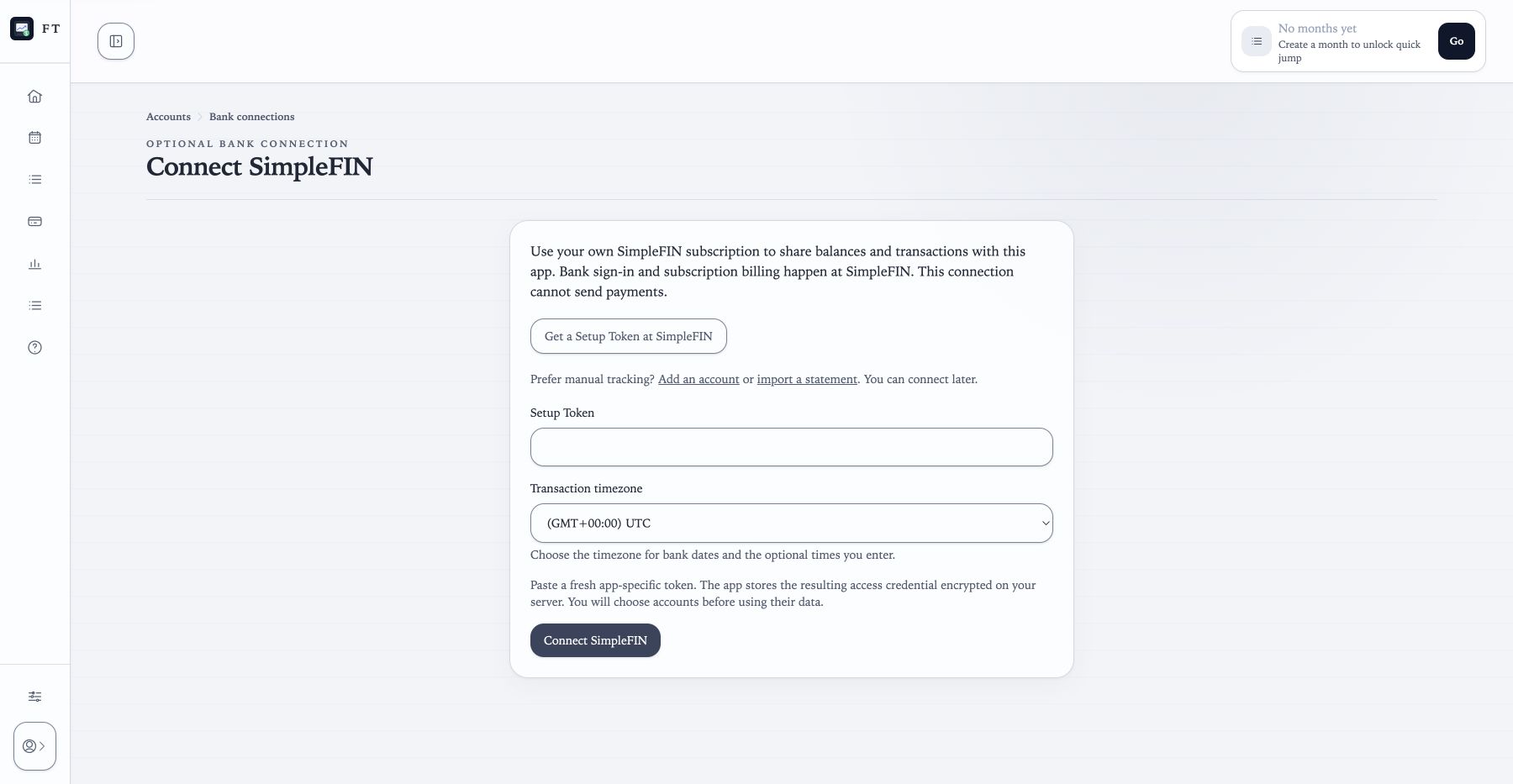
Choose Connect with SimpleFIN on Home, or open Accounts → Bank connections → Connect SimpleFIN. Create a fresh Setup Token at SimpleFIN Bridge and paste it into the app.
The app claims the token and stores the resulting access credential encrypted on your server. Do not put tokens in screenshots, logs, support requests, or shared backups. The first background check discovers accounts; watch the visible status and operation details.
Choose each account and its data
For every discovered account, choose an existing account or create a new one. Mapping to an existing account preserves its plans and history. Ignore accounts you do not want to track. Unsupported currencies are excluded; this app does not convert currencies.
Choose whether to fetch recent transactions. Leave that option off for balances-only tracking and continue entering or importing activity yourself. Confirm how your bank represents debt before using a card balance.
Transaction history arrives on the next allowed refresh after mapping. The initial request asks for roughly 30 days; actual coverage depends on the institution. A successful check does not guarantee newer data.
Review the bank balance
Open Review balance and recorded payments. Check the source time, debt sign, and whether recorded activity and reserved payments are already included. Confirm the coverage before selecting the bank balance as the source for app calculations. You can keep a manual balance source instead.
Bank balance is the provider-reported value at its source time. App balance applies accepted movement and reservation rules. Projected balance also includes the remaining plan. Credit-card available credit is not cash available for bills.
Review transactions in Activity
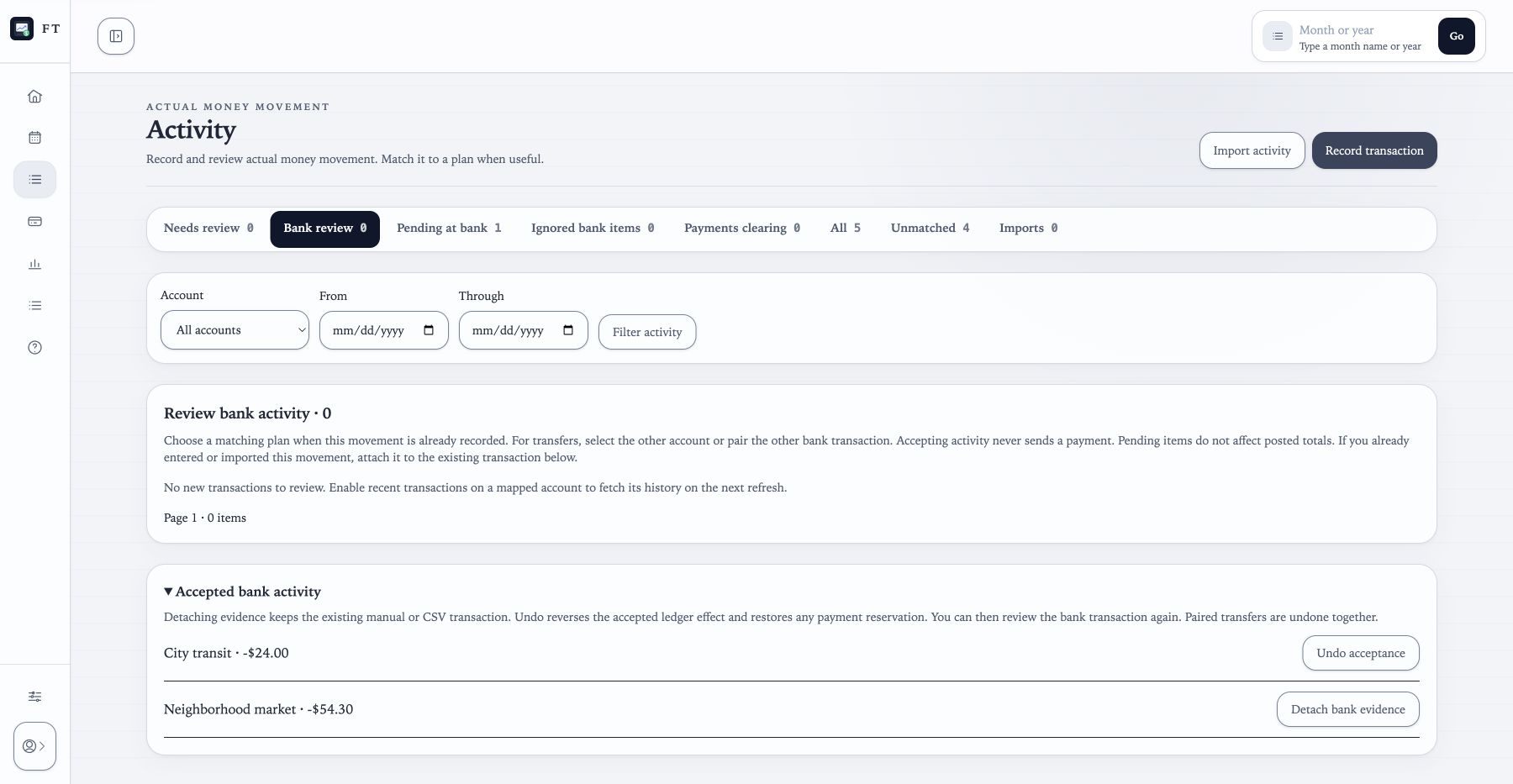
Open Activity → Bank review. For each posted item, accept it as new activity, match an existing plan or recorded payment, pair transfer sides, or ignore it. Pending items stay in their own queue and do not affect posted totals. Ignored items can be returned to review.
Already entered or imported the movement? Choose Attach to existing transaction, verify the suggested record, and confirm. This attaches the bank source without creating another transaction. Similar amounts are suggestions, not automatic proof. Detach bank evidence keeps the original manual or CSV transaction.
A provider correction keeps the previous accepted effect until you review it. Undo affected acceptance and matches before accepting a correction; reopen a closed month first. Undoing a paired bank transfer affects both accepted sides.
Build the same monthly routine
Create a month, add useful planned items, and review its first result. Recurring setup is optional. Accepted bank activity can feed account insights and recurring suggestions, but a suggestion creates a template or month item only after you confirm it.
Keep plans, received income, recorded payments, and cleared activity distinct. If a payment is reserved, match the bank transaction or clear it manually from Activity → Payments clearing. The same path works when you chose balances only.
Compare recorded actuals and matched-to-plan totals in Reports, review the close preview, then freeze the month when it is ready. See the shared monthly workflow.
Refresh and recover from errors
Refresh manually with a 15-minute cooldown, or opt into twice-daily refreshes. The app caps requests at 12 per rolling 24 hours and uses bounded history with overlap. Refresh status, last-checked time, and balance source time describe different things. Bank balances older than 48 hours are labeled stale; manual balances use their own observation date.
If a provider needs attention, repair the bank connection in SimpleFIN. If a job is stuck, check the app's operation details and ask the operator to check the worker. Saved history remains available. You can record manual activity or import a statement while waiting; resolve overlap when bank data returns.
Disconnect, restore, or continue manually
Disconnecting stops refreshes and removes the local credential while retaining history. Revoke the app at SimpleFIN to remove remote access too. To use a manual balance, open the account's source controls; then record a dated balance and continue from Activity.
Outstanding payment reservations remain reviewable after disconnect. Confirm their actual clearing dates, or reconnect and match the bank evidence. Backup v2 preserves bank history, clearing records, and duplicate evidence links but excludes access credentials and refresh schedules.
After restore, choose to reconnect with a fresh Setup Token or continue manually. Restoring does not silently resume refreshes.