Run it locally or on your server
Try the app from a local checkout. For production, use the included Compose file with a release you choose.
Version 2.1 · Run it on a server you control
Keep your budget on infrastructure you control. You decide who can sign in, where financial data is stored, when updates happen, and how you recover from a problem.
Before the commands
Try the app from a local checkout. For production, use the included Compose file with a release you choose.
Your months, accounts, imports, and users live in PostgreSQL. Never remove its volume as part of a routine update.
Put HTTPS in front of production, set real secrets, decide who may register or sign in, and protect administrator access to the server.
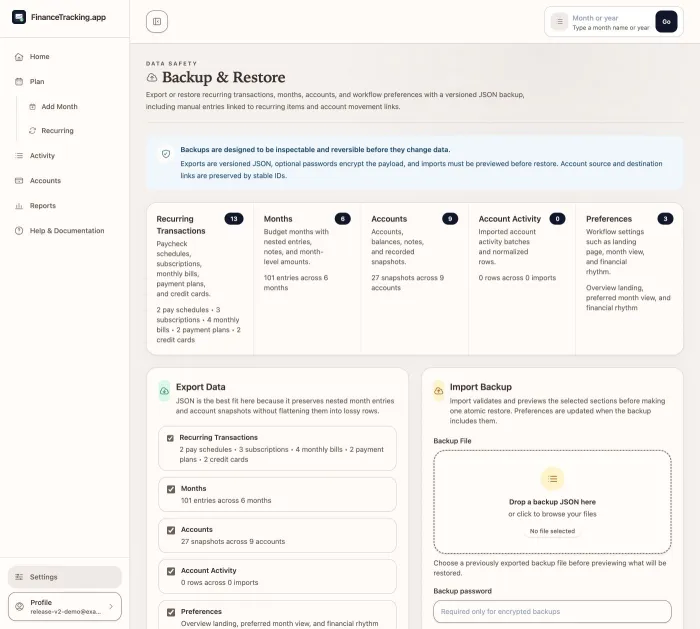
Keep PostgreSQL backups plus encrypted application exports. Preview a restore and verify the seven-day safety copy before a move or update.
Read release notes, review environment changes, pin the version you intend to run, and check your budget after restarting.
Choose one path
Use this path to decide whether the budgeting routine fits before you prepare a server.
$ git clone https://github.com/taimoorq/expense_tracker.git
$ cd expense_tracker
$ cp .env.example .env
$ docker compose up --build
Success looks like: FinanceTracking.app opens at http://localhost:4287, you can create an account, and the same budget is still there after a restart.
Set the current version in .env.production, pull it, and start without rebuilding on the server.
EXPENSE_TRACKER_IMAGE=ghcr.io/taimoorq/expense_tracker:v2.1.0
docker compose --env-file .env.production \
  -f docker-compose.production.yml pull web
docker compose --env-file .env.production \
  -f docker-compose.production.yml up -d --no-build
Version 2.1 runs confirmed account activity imports and Backup v2 work in a dedicated worker. After startup, confirm both the web and worker services are running.
Use latest only if you intentionally want updates to move automatically. A version tag keeps each update predictable.
Upgrading an existing installation
The update keeps existing budgets available while you run the required checks. Back up first, and switch calculations only after the results match.
Production checklist
Keep real secrets and environment files outside version control. Use strong admin and user credentials.
Know which volume or external PostgreSQL service holds the data and how it is backed up.
Use a trusted HTTPS certificate and a reverse proxy or platform configuration appropriate for the host.
Back up PostgreSQL, export application data, and review .env.example before pulling a release.
Never use docker compose down -v during a normal update.
Confirm the web and worker services are running, then open Home, Plan, Activity, Accounts, Reports, month close, and Backup.
Shared responsibility
This page helps you decide. The install guide gives you the commands, and the trust center explains where data lives and which outside services the app contacts.