Use Expense Tracker when your monthly budget needs a repeatable routine.

It is built for people who plan one month at a time, reuse the same bills and income, and want to understand their accounts without handing their budget to a hosted bank-sync product.

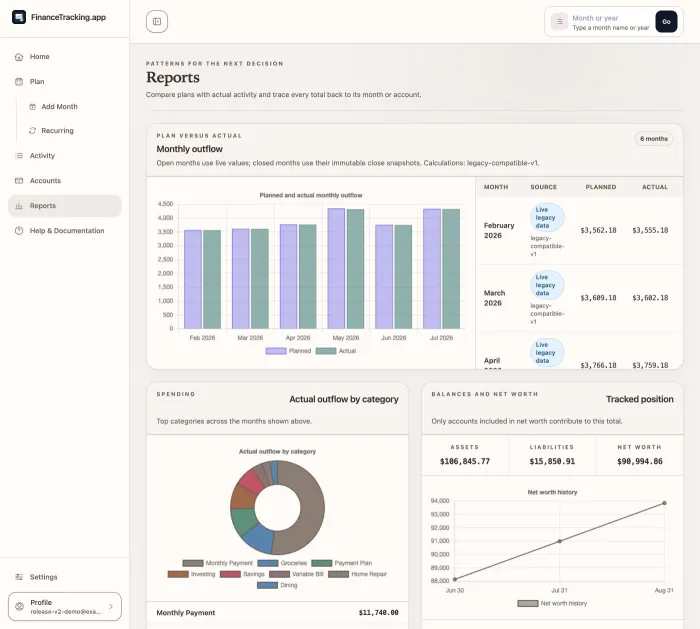
Expense Tracker overview showing quick actions, recent months, and review prompts.

Replace the blank-spreadsheet feeling with a month you can restart.

Start from what repeats

Keep paychecks, bills, subscriptions, payment plans, and card settings ready to reuse instead of rebuilding the month from memory.

Keep accounts in view

Use snapshots, projected balances, activity links, movement details, and payoff progress to keep decisions tied to real accounts.

Keep control of the data

Run the app yourself, choose the deployment, control access, and keep versioned backups that can be inspected and restored.

Expense Tracker is a good fit when you want simple manual control.

Good fit

  • You budget by month and want the same starting sequence every time.
  • You prefer manual account snapshots and CSV imports over live bank linking.
  • You want account movement, card payoff progress, and backups in the same place.
  • You are comfortable running a self-hosted app or learning from the setup guide.

Not the right fit

  • You want automatic bank connections as the main product feature.
  • You want a hosted service that manages the server, database, backups, and updates for you.
  • You need investment, accounting, tax, or legal advice.
  • You want a phone-first budgeting service with no self-hosting responsibilities.

Try it when you want each month to be easier to start, review, and back up.

The fastest path is a local Docker checkout. The docs also explain the recommended setup order.