Self-hosted budgeting for people who think one month at a time
Set up the month once, then keep it real as life happens.
Start by adding the accounts you actually use. Save the paychecks, bills, and card payments you already know are coming. When a new month starts, pull that structure in and adjust it as spending happens. Your leftover stays tied to real entries instead of guesswork.
- Add your accounts first so the budget reflects the balances and payments you actually manage.
- Reuse saved paychecks, bills, and recurring expenses instead of rebuilding the same month by hand.
- Check the month in timeline, calendar, breakdown, and monthly flow views when you want a clearer picture.
- Track balances, plan card payments, and keep your backups in your own hands without depending on bank sync.
Step 1
Add Accounts
Start with checking, savings, cards, loans, and any balances you want the month to reflect
Step 2
Save Recurring
Keep paychecks, bills, subscriptions, and card payments ready to reuse next month
Step 3
Create the Month
Start fresh or clone a recent month, then pull in the recurring structure you already saved
Step 4 is the day-to-day part: import activity, add one-offs, update actual amounts, and mark items paid as the month unfolds.
Self-host in a few commands
$ git clone git@github.com:taimoorq/expense_tracker.git
$ cd expense_tracker
$ cp .env.example .env
$ docker compose up --buildSelf-hosted
Recurring
Month cloning
Guided edits
Backup and restore
Account tracking
Inside the App
How It Works
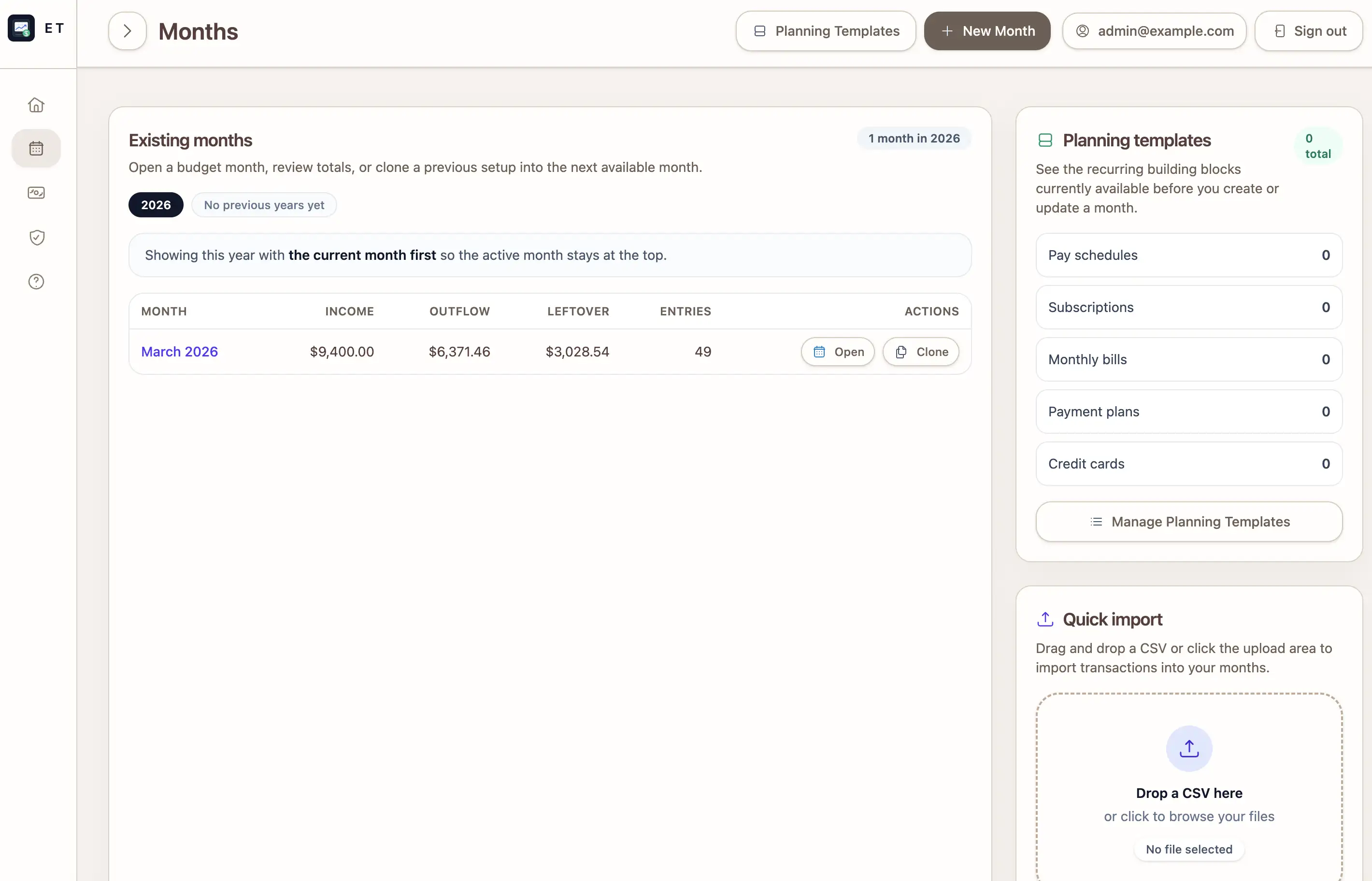
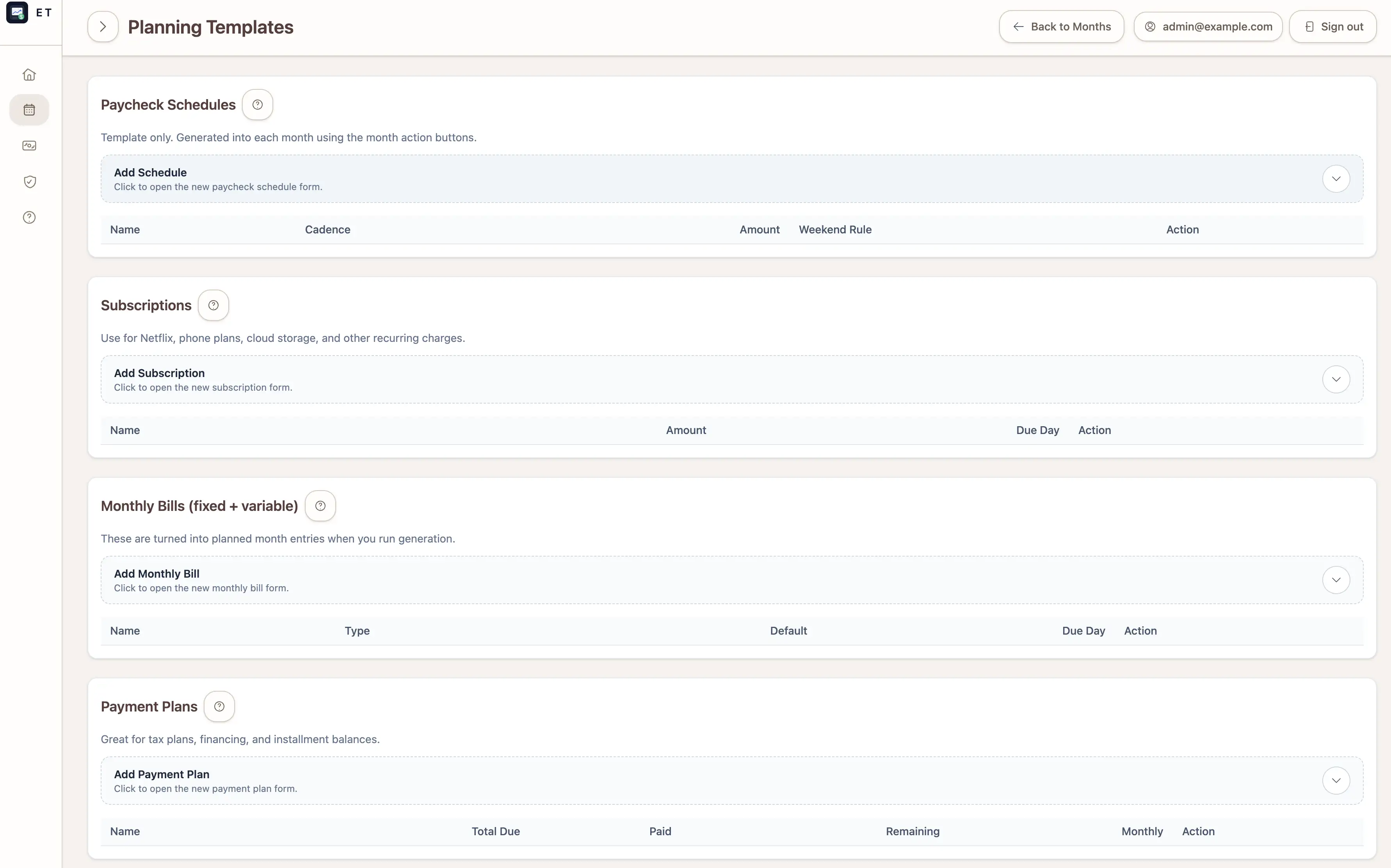
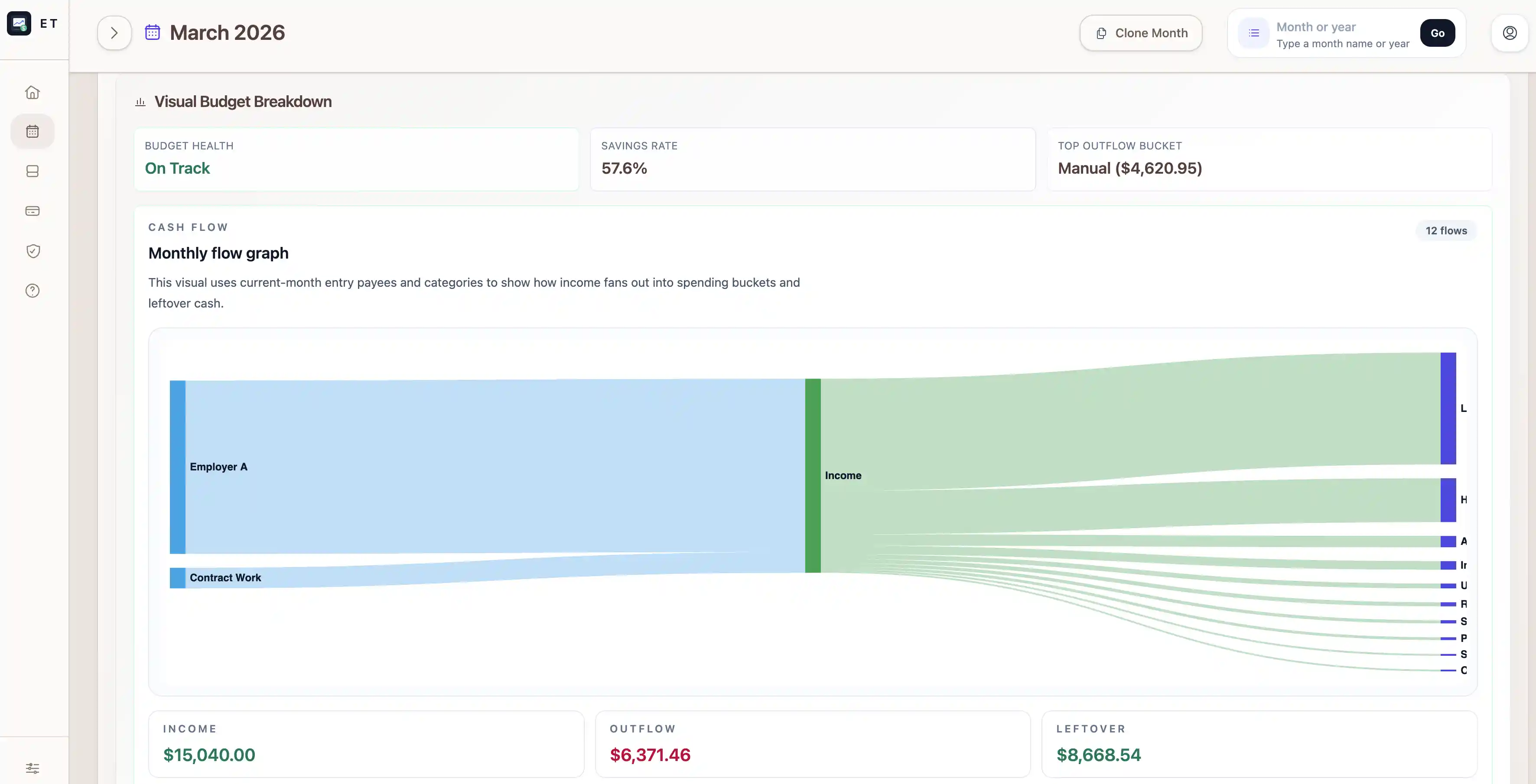
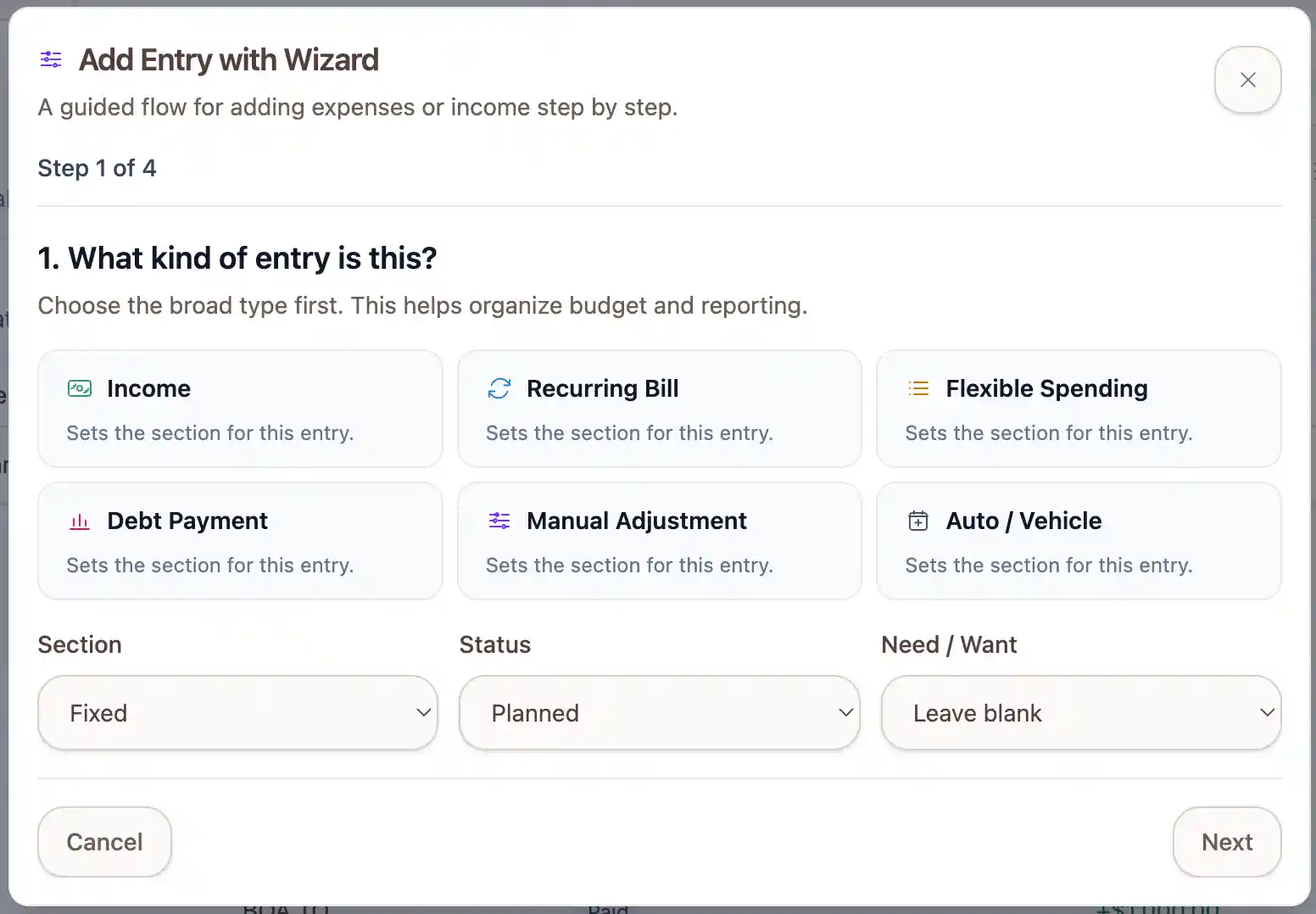
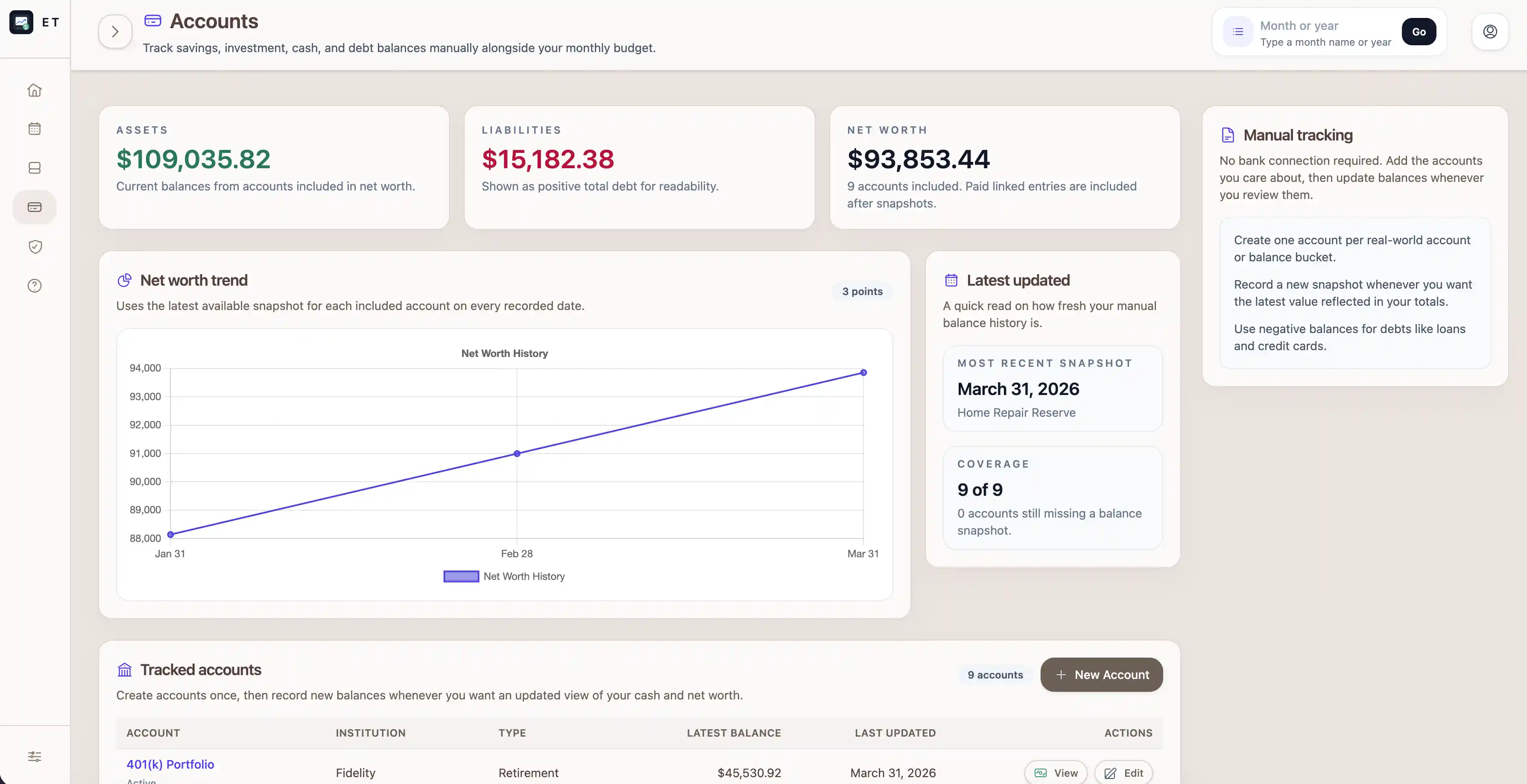
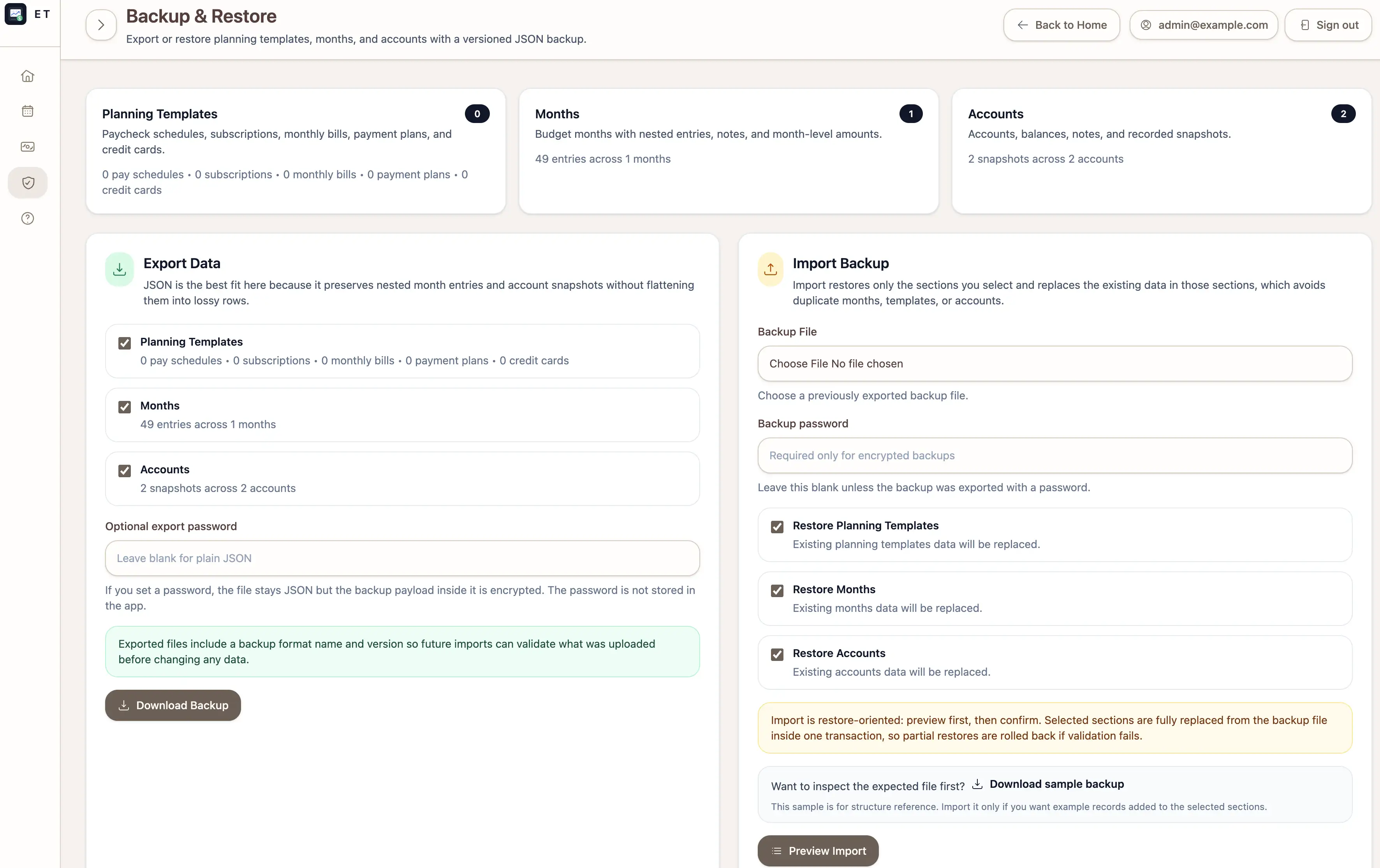
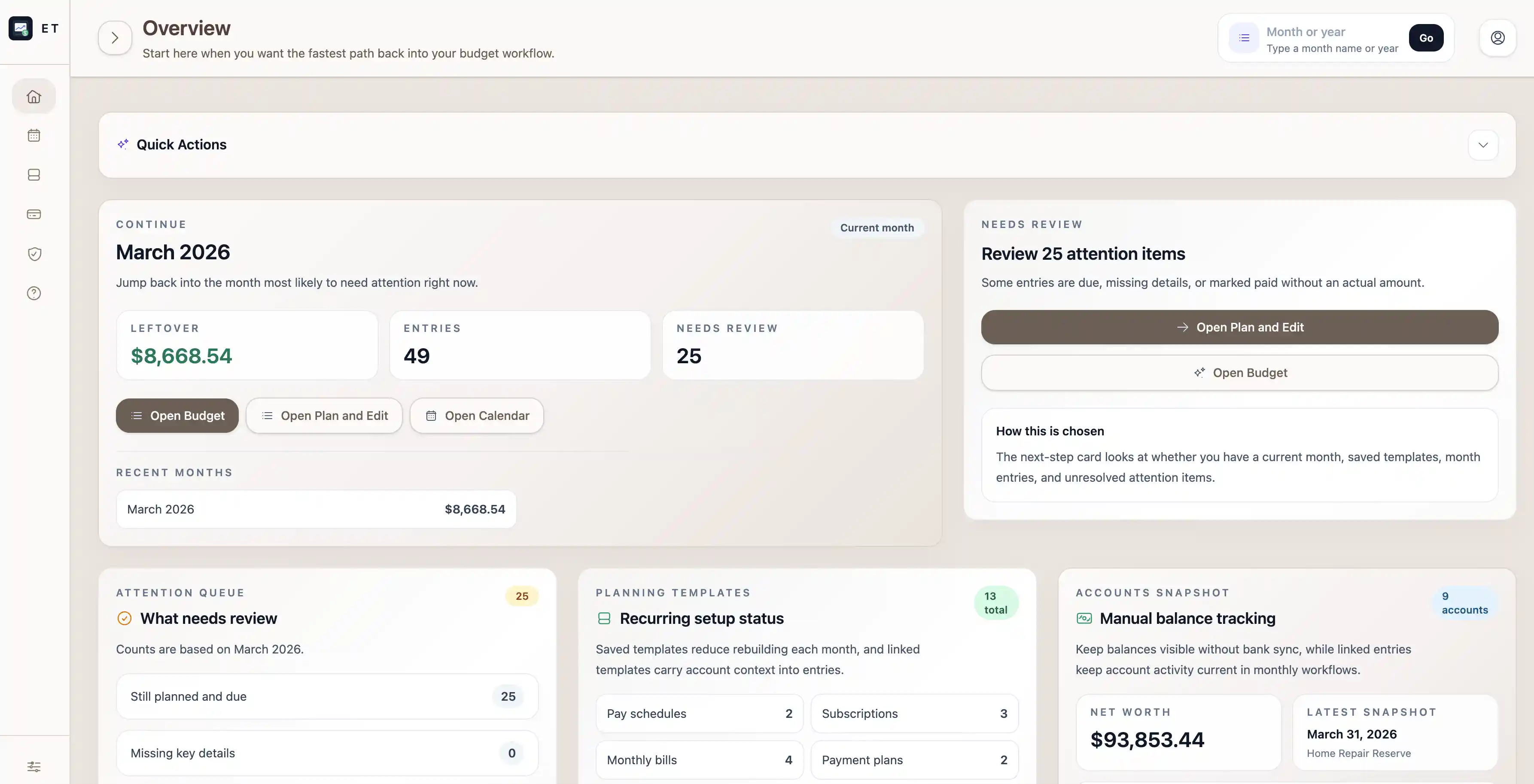
Help & Documentation stays available in the app navigation
The help area explains what each screen is for and the best order to set things up. New self-hosted users do not have to guess where to start.
Features
Built around how people really manage a month.
Start with what is already predictable
Save pay schedules, subscriptions, monthly bills, payment plans, and card settings once. Build the recurring backbone of a month without typing the same plan over and over.
One month, multiple ways to understand it
Use timeline, calendar, breakdown, monthly flow, account activity, and plan-and-edit views to understand the same month in the way that makes the most sense to you.
Guided entry management
Add one-off entries manually, use a guided wizard, or edit entries and recurring items in modal flows that keep your place and recover cleanly from validation issues.
Account-aware budgeting
Link recurring items to the accounts they affect, track balance snapshots in the same place, and review charged versus paid-to activity by account over recent saved months.
Backup, restore, and sample import references
Export versioned JSON backups, encrypt them with a password, preview imports before restore, and download a sample backup when you want to inspect the structure first.
Smarter card planning
Estimate card payments after the rest of the month is visible. That keeps payoff decisions grounded in the full plan while still creating minimum payments for active cards.
Workflow
A month-by-month workflow people can actually stick with.
Start with your accounts
Add the checking, savings, cards, loans, and other balances you care about so the rest of the month has real account context.
Save the recurring parts once
Store the paychecks, bills, subscriptions, debt payments, and card settings you expect so the next month is faster to build.
Build the month without starting from zero
Create a new month or clone a recent one, then pull in the recurring structure you already saved.
Keep the plan honest as life happens
Add one-off costs, update actual amounts, mark items paid, and use the month views to see what is still realistic.
Accounts first
Get the important balances and account names in place so the rest of the budget can connect to real life.
Save recurring
Keep the monthly basics reusable so future months are faster and more consistent.
Create the month
Start fresh or clone what already worked, then pull in the recurring pieces you want.
Adjust as the month unfolds
Update real spending, mark items paid, and use the visuals to see what the month can actually support.
Why It Works
It treats budgeting like a real monthly cash-flow problem, not a perfect spreadsheet.
What usually goes wrong
- The recurring structure gets rebuilt manually every month.
- Imported and manual entries drift away from the monthly plan.
- Card payments are guessed before the month is fully visible.
- Account balances and net worth snapshots live in a separate system.
What FinanceTracking.app fixes
- Recurring structure comes from saved recurring transactions, not memory.
- Months can be reviewed as a timeline, calendar, breakdown, monthly flow, or full edit list.
- Card estimates are derived from the visible month, not wishful thinking.
- Month planning and account snapshots live in the same app.
FAQ
Short answers to the questions people usually ask before trying it.
Is FinanceTracking.app a hosted service?
No. FinanceTracking.app is a self-hosted app. You clone the repository, run it yourself, and keep control of the environment where your data lives.
What can the app actually do today?
It supports month creation and cloning, recurring transactions, multiple month review views, manual entry editing, dashboard guidance, backup and restore, and manual account and net worth tracking.
Does it include backup and restore tooling?
Yes. The app includes a dedicated Backup & Restore area for versioned JSON exports, optional encrypted backups, import previews, and sample backup files that show the expected structure before restore.
Does it rely on bank syncing?
No. The workflow is built around manual accounts and imported CSV activity, which keeps the tool usable without bank integrations.
Who is responsible for privacy in a self-hosted install?
The operator of the installation is responsible for hosting, storage, backups, access control, and any privacy disclosures for that deployment.
Self-Host It
Try the app from the repository.
FinanceTracking.app is designed to be self-hosted. Clone the repository, run the Rails app with Docker, and use it locally without relying on a hosted SaaS version.
Open the GitHub Repo
Docker Quick Start
Recommended path: clone the repo, run `docker compose up --build`, and open the app locally.